

Managing your marketplace post
Edit your listing, mark it reserved or sold, or remove it.
-
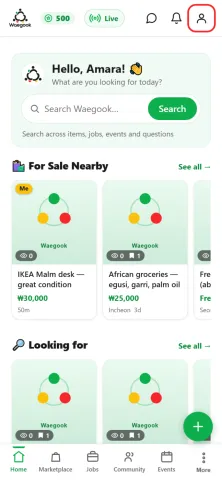
Step 1From the home screen, tap the person icon (top-right) to open your profile.
-
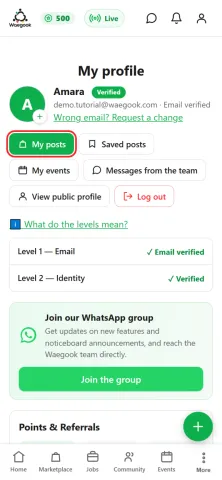
Step 2Tap “My posts” to see everything you’ve listed.
-
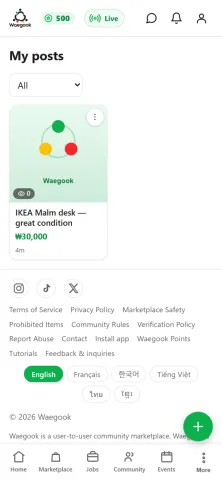
Step 3Here are your listings. Tap the ⋮ on one to manage it.
-
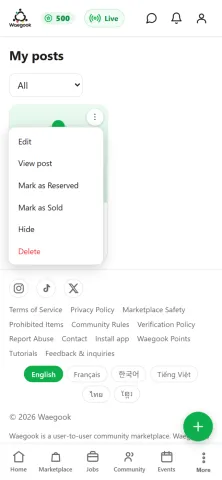
Step 4Edit it, mark it reserved or sold, hide it, or delete it.
-
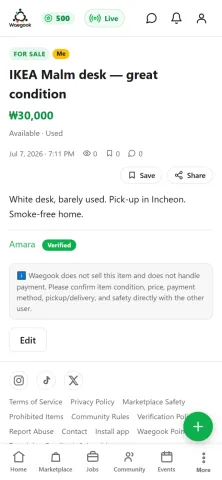
Step 5Or open the listing and tap “Edit” to change the title, price, or photos.